Fake sites stop before you tap.
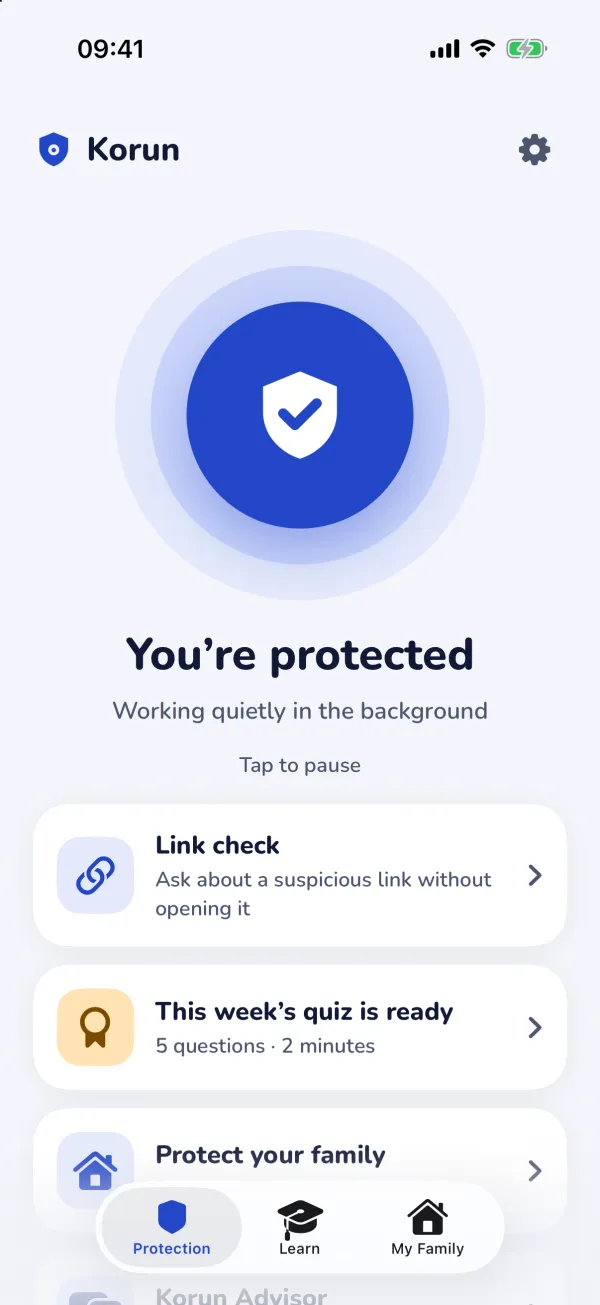
Korun quietly stops fake bank, delivery, government and shopping sites on your iPhone and iPad — in Safari and in other apps. It installs no VPN, doesn’t slow your internet, and nobody can see which sites you visit.
iOS 26 or later · iPhone 11, iPhone SE (2nd generation) and newer · iPadOS 26
- No VPN
- No data collected
- No ads
- Turkish · English · German · Dutch
- Free web shield
Stops the traps people actually fall for
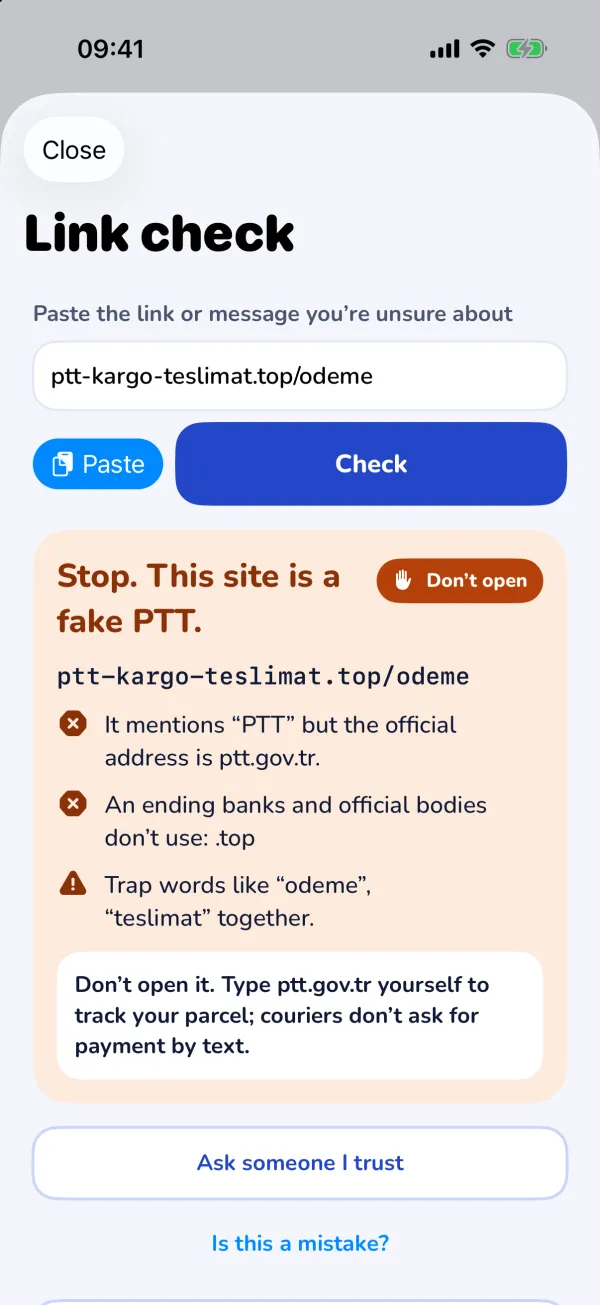
Scammers now send links by SMS and WhatsApp far more than by e-mail, posing as banks, couriers and government services. Korun steps in whichever app opens the link.
Fake bank pages
“Your points expire tonight”, “your account is blocked” — fake sign-in pages after your password and card.
Delivery and customs traps
“Missing address”, “pay a small customs fee” — fake courier and postal pages.
Government look-alikes
Fake support payments, tax refunds and traffic fines that copy e-Devlet, DigiD or tax offices.
Fake shops
Sites that glue a known brand to “outlet” or “sale” and are too cheap to be true.
Dangerous downloads
Configuration profiles that change your settings, out-of-store app links and spam calendar subscriptions.
Look-alike addresses
Domains that swap one letter or use letters from another alphabet to look like the real one.
No VPN. No dropped connections.
Most apps that protect every app install a VPN profile. That can break Wi-Fi, drain the battery and clash with your work VPN.
Korun uses the URL filter Apple introduced in iOS 26: iOS does the filtering, your traffic isn’t rerouted and Korun doesn’t run in the background. If Korun’s server can’t be reached, your internet stays on.
| VPN-based protection | Korun | |
|---|---|---|
| Traffic | Goes through a tunnel | Not rerouted |
| With another VPN | Often conflicts | Works alongside |
| Battery | Always-on tunnel | iOS does the matching |
| Browsing data | Passes the tunnel provider | Stays on the phone; encrypted query when in doubt |
| If the server is down | Connection may drop | Internet stays on |
Privacy isn’t a promise, it’s the design
Not even Korun’s server can see which sites you visit — ensured by the protocol itself, not by a policy.
Your phone checks first
iOS compares each address with an on-device summary of dangerous addresses. Most addresses pass with no network traffic at all.
Encrypted question when in doubt
On a possible match, iOS asks with homomorphic encryption (PIR): the server can’t read what was asked.
Who and where stay hidden
Queries arrive through Apple’s Oblivious HTTP relay with anonymous Privacy Pass tokens; your IP address never reaches us.
No ads, no tracking
No accounts, analytics, ads or trackers. We don’t sell your data because we don’t collect it.
Get sharper in two minutes a week
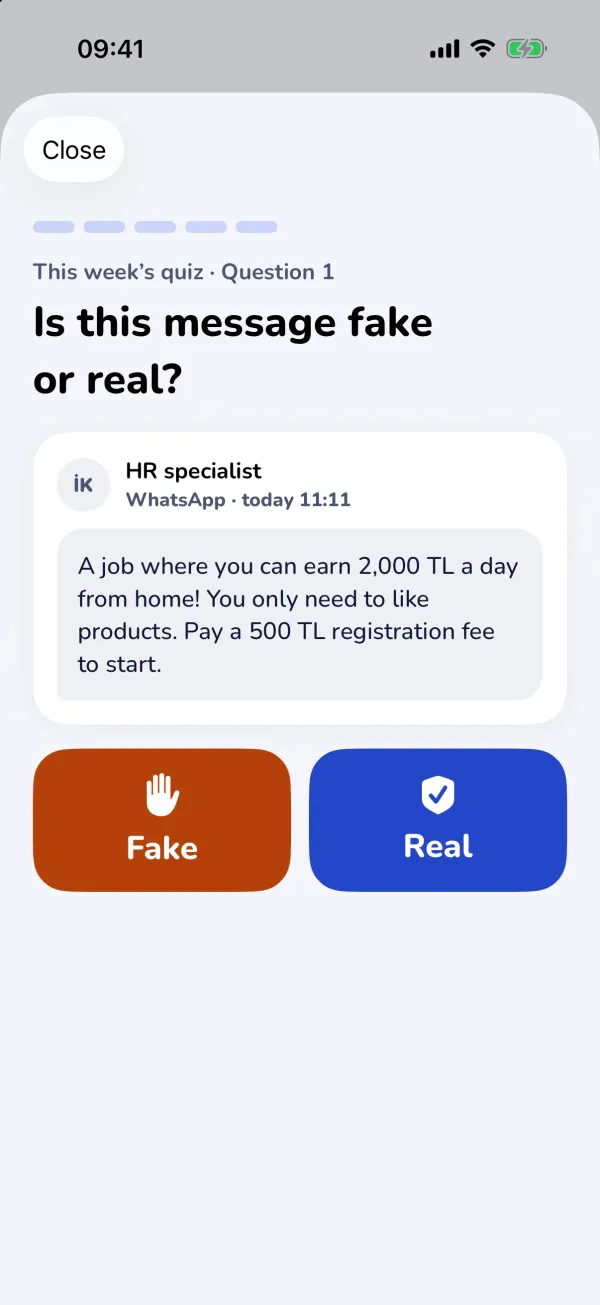
The weekly “Fake or real?” quiz brings five messages modelled on real scams. After you answer, the tell-tale signs are highlighted — and a wrong answer gets no blame: “They got you this time, that’s okay.”
- Share to check: share a WhatsApp, Messages or Mail text with Korun; every link is checked on your phone.
- “I was scammed” guide: step-by-step, tickable actions for Türkiye, Germany and the Netherlands.
- Family, without watching: see whether loved ones are protected — never which sites they visit.
Compatibility
Korun is designed for the security framework Apple introduced in iOS 26. On older iOS versions the only way to protect every app is a VPN; we chose not to go that way because of battery, connection and privacy problems.
Check your version: Settings › General › About › iOS Version.
| Device | Status |
|---|---|
| iPhone 11 and later, iPhone SE (2nd generation and later) | Supported with iOS 26 or later |
| iPads running iPadOS 26 | Supported |
| iPhone XS, XS Max, XR and earlier | Not supported (no iOS 26) |
Frequently asked
Is Korun free?
The web shield, link and message checks, the “I was scammed” guide, the security scorecard and the weekly quiz are free. Premium and Family add the Advisor, file and screenshot checks and family features.
Does it protect texts and calls?
No. Korun protects websites, downloads and tapped links. For SMS and scam calls, see our sister app Kalkan.
Can you see which sites I visit?
No. Addresses are checked on your phone first; when in doubt the question is encrypted and travels through Apple’s relay, so even your IP address doesn’t reach us. See How it works.
Why only iOS 26?
The URL filter that protects every app without a VPN arrived with iOS 26. On older versions the only option is a VPN, with its battery, connection and privacy costs.
What if it blocks a site by mistake?
Tap “Is this a mistake?” on the warning to trust the site on this phone and tell us with an e-mail that contains only the site name. Banks and government sites can never be blocked by a list update.